 k8sman
A fast, native Kubernetes IDE.
Live tables you shape with jq, an inspector that explains why things are broken, and logs, terminals, port-forwards, Argo CD, Helm and security in one window.
Why k8sman
Everything you reach for, in one window.
Not another dashboard: a real desktop app that tells you what's wrong.
Live tables you shape with jq
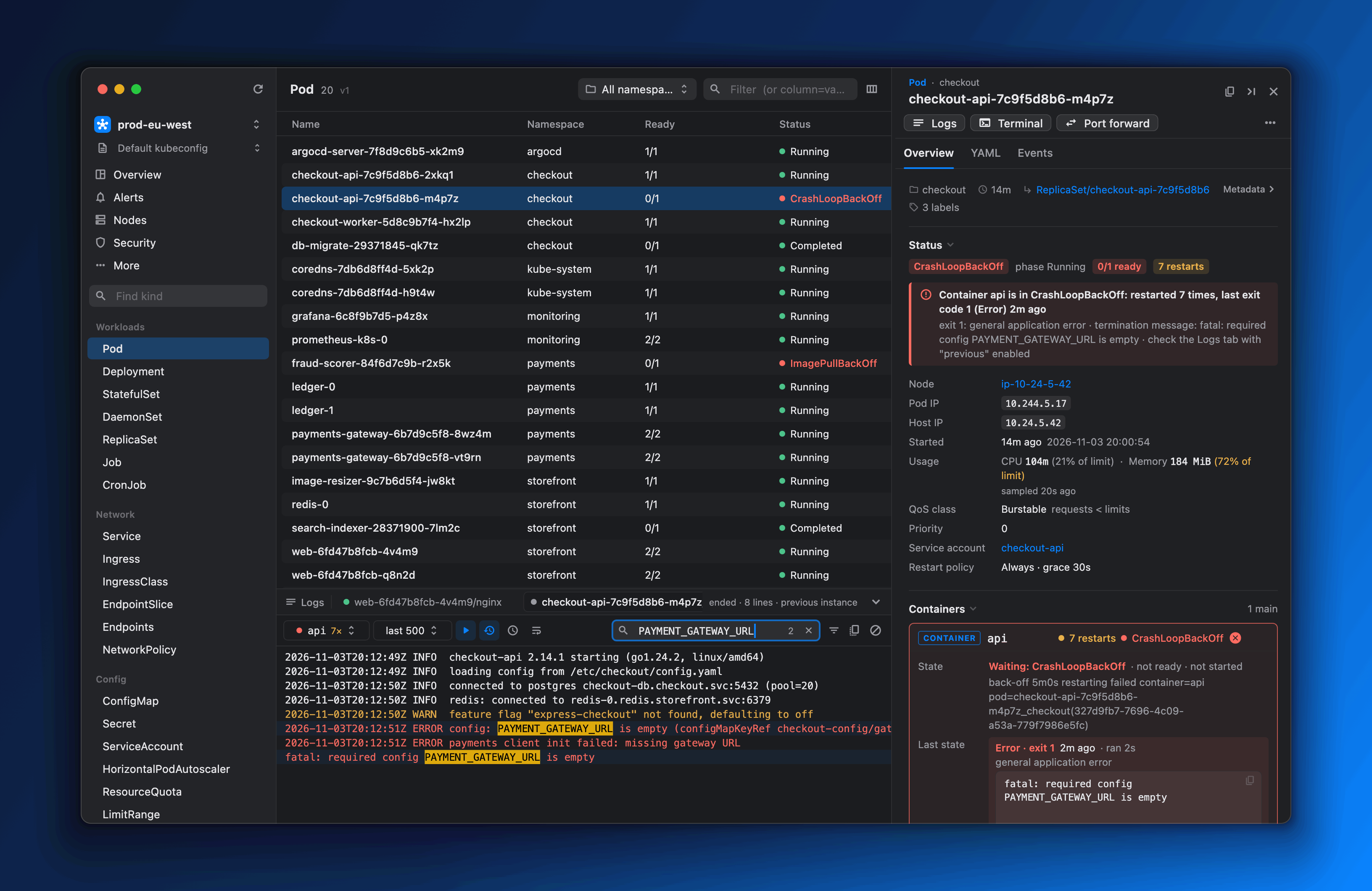
Every resource type, CRDs included, streams in over watches. Columns are jq expressions you edit with a live preview.
An inspector that explains why
Not just 0/1 ready: the container crash-looped 7 times with exit code 1, here's the termination message, and here are the previous instance's logs.
Logs, terminals and port-forwards
A bottom dock holds alerts, logs and shells. Port-forwards survive pod restarts and app relaunches.
GitOps and Helm built in
Argo CD sync, health and per-resource diffs. Helm history diffs, rollbacks and dry-run upgrades.
Security insights
Network exposure, risky RBAC, Pod Security failures, best practices and image CVEs, ranked across the cluster.
Local only
A single download with the backend embedded. Nothing to run in your cluster, no telemetry, and nothing leaves your machine.
Overview
Cluster health at a glance.
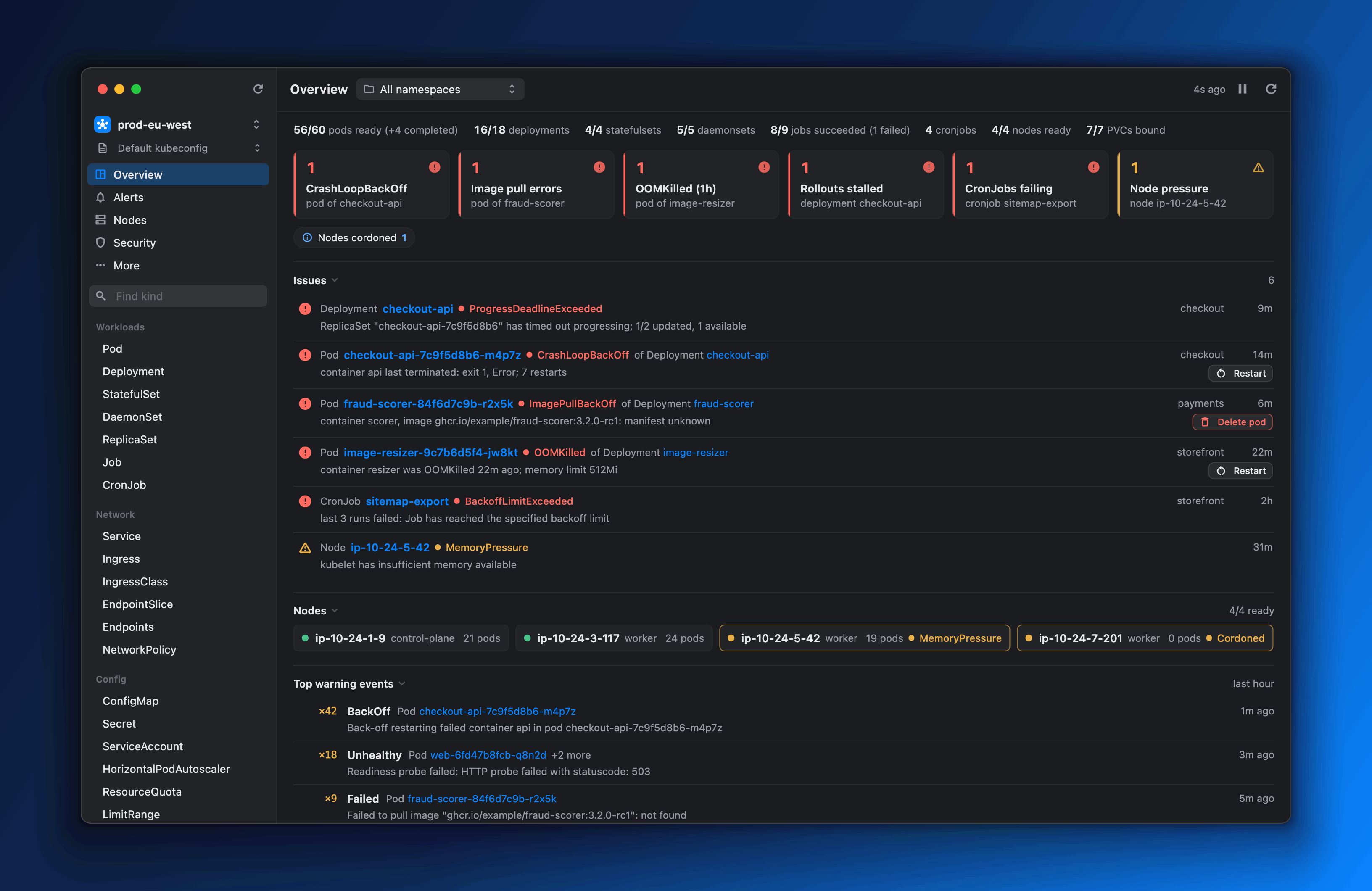
The Overview page ranks what's wrong and groups each issue under the workload that owns it, with the quick fix one click away.
- Crash loops, image pull errors, OOM kills and stalled rollouts
- Failing CronJobs, node pressure and lost PVCs
- Restart, Delete pod or Resume rollout from the same row
- Firing Alertmanager alerts, with a badge when something critical fires
Logs, terminals and port-forwards
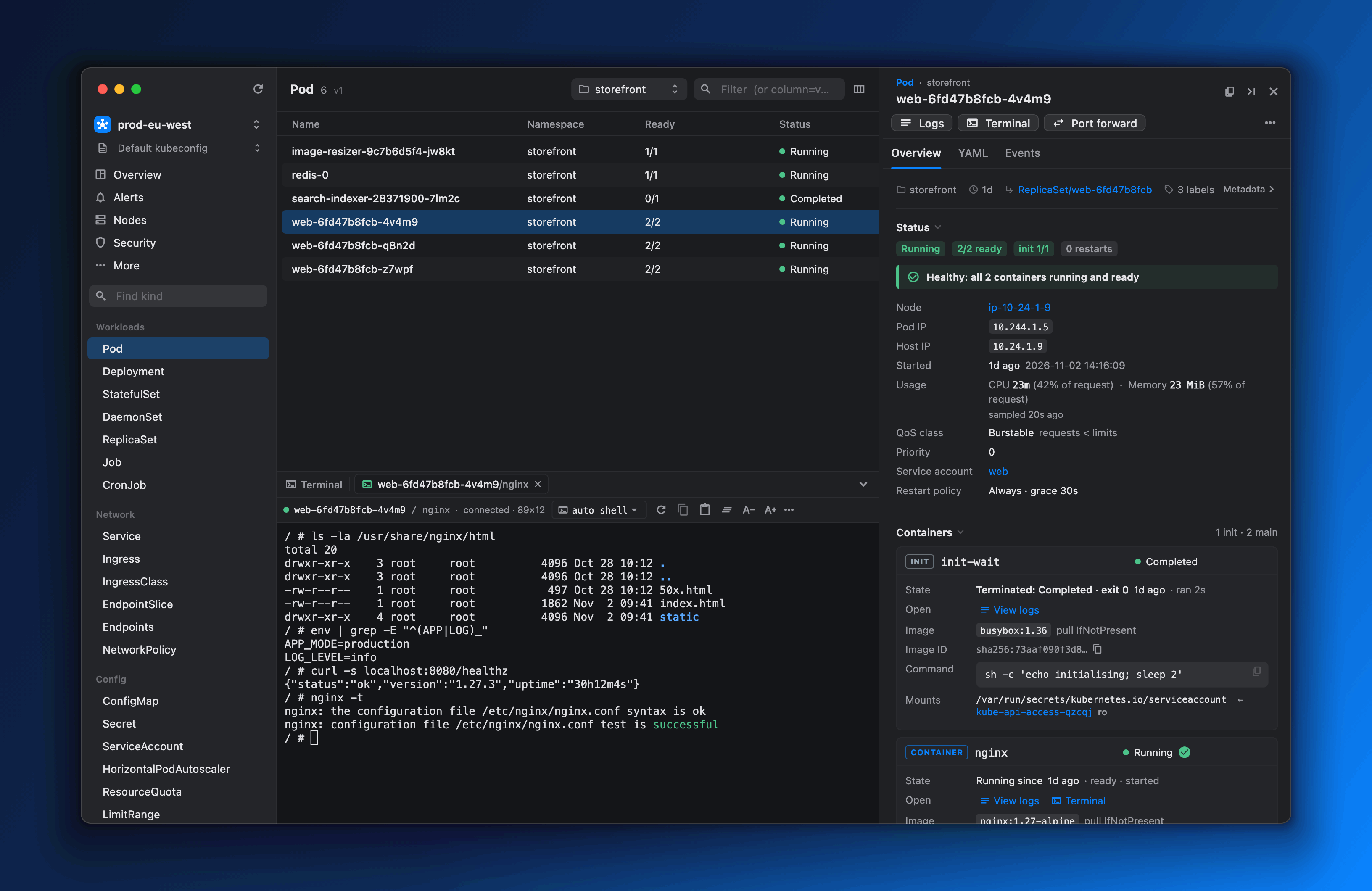
The dock keeps streaming while you browse.
Follow logs, merge a whole Deployment's pods into one timeline, open a shell in any container, and keep port-forwards alive across pod restarts.
- Aggregated logs, merged by timestamp and colour-coded by pod
- Shells that try zsh, bash, ash and sh, with debug containers for distroless images
- Local shells whose kubectl follows the cluster on screen
- Port-forwards that reconnect, persist and auto-start
Argo CD
GitOps, with real diffs.
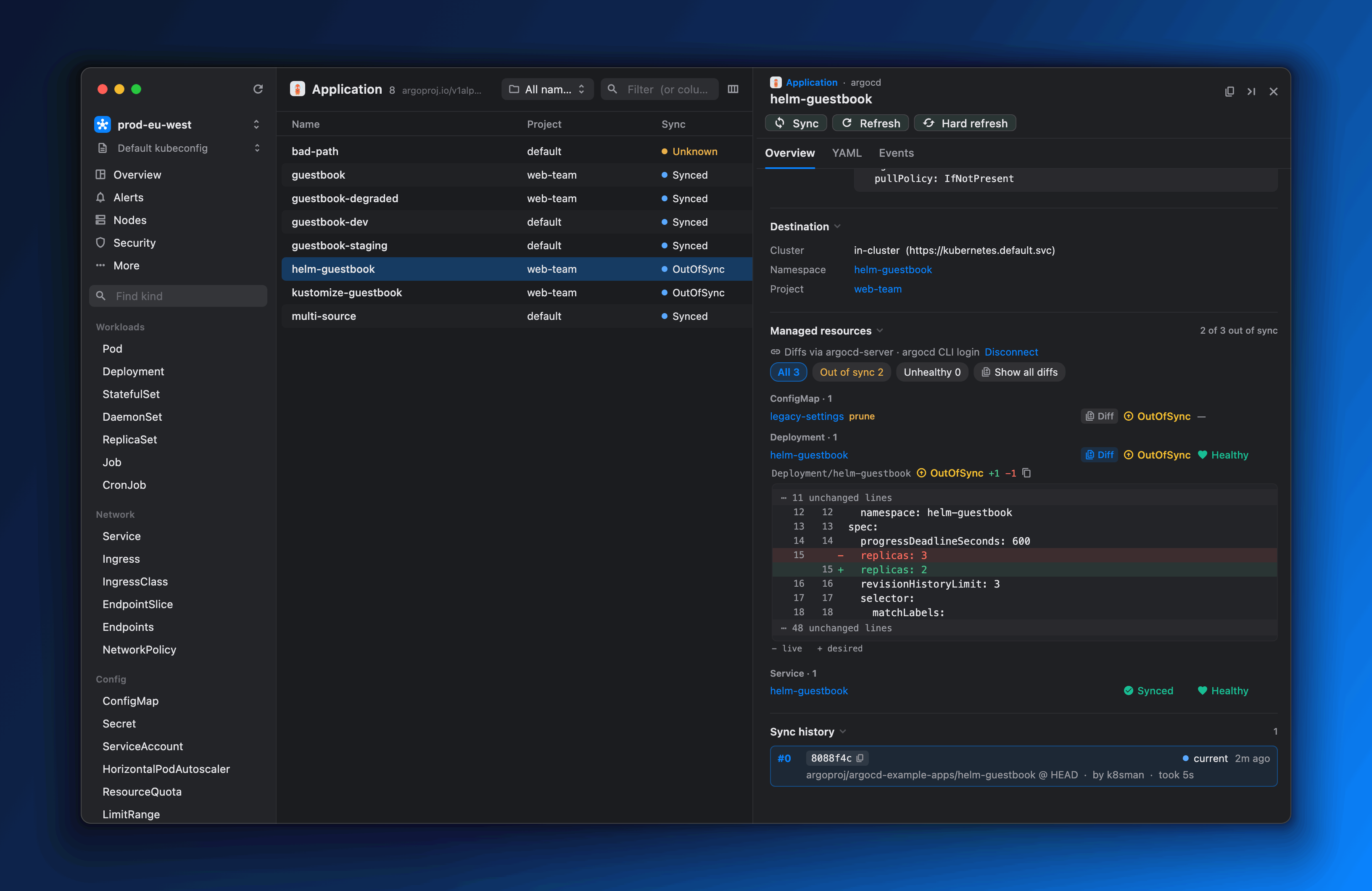
Application, ApplicationSet and AppProject panels show sync and health, the resource tree, sync history and sync windows. Per-resource live vs desired diffs come straight from argocd-server.
- Sync, Refresh, Hard refresh and Terminate from the inspector
- Connect with your existing argocd login --sso
- The token stays in the argocd CLI's own config
Security
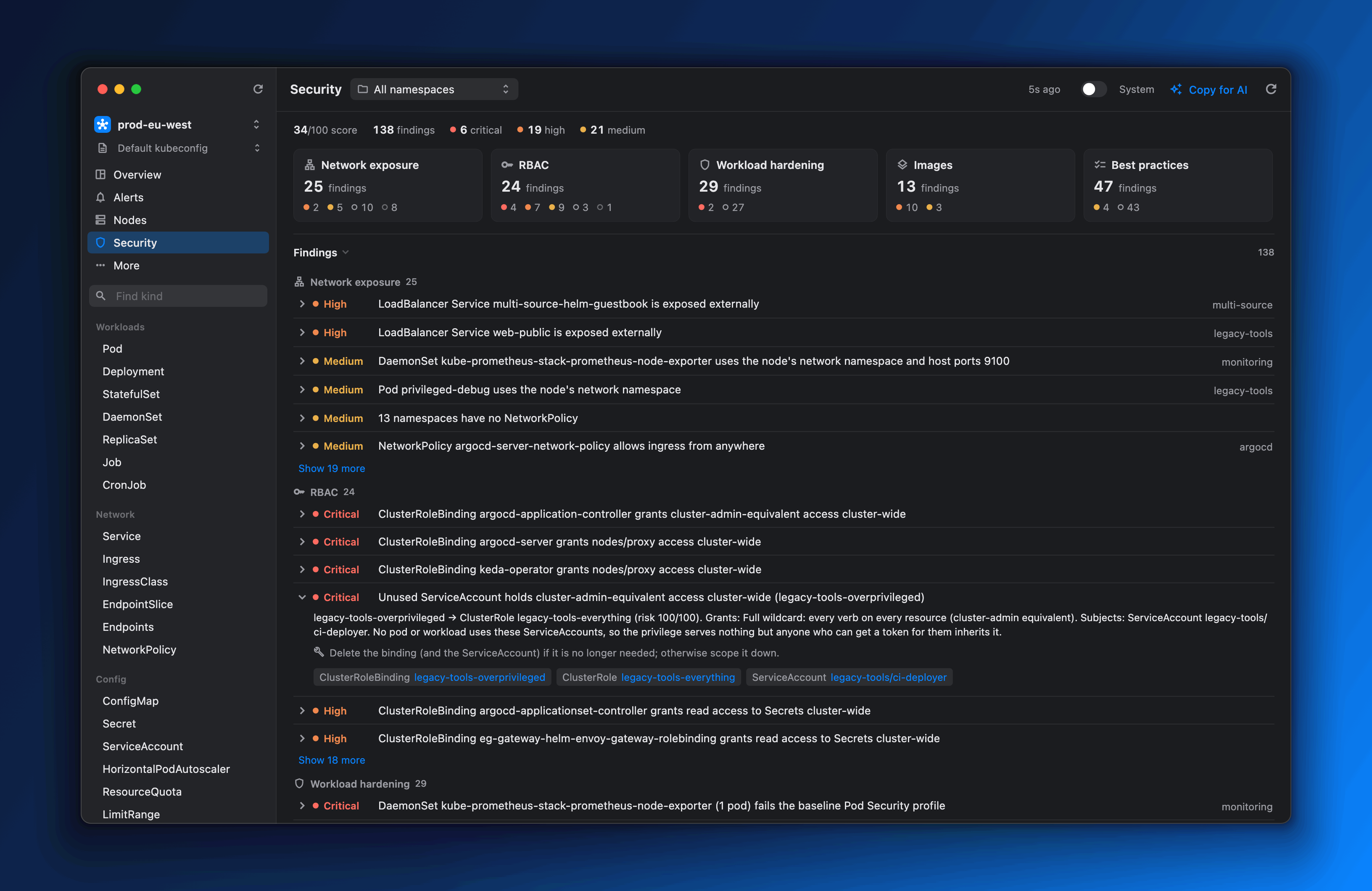
Know where you're exposed.
A cluster score and ranked findings across network exposure, RBAC, workload hardening, images and best practices, each with an explanation.
- Cluster-admin-equivalent grants, secret readers and unused privileged ServiceAccounts
- Pod Security baseline and restricted checks
- Image CVEs from Trivy Operator, or on-demand scans with a local trivy
- Copy for AI: a Markdown brief of the findings
Panels and icons for the projects you already run
 Argo
 Prometheus
 Cilium
 cert-manager
 Trivy
 KEDA
 Envoy
 Istio
 Velero
 Crossplane
 Kyverno
 Flux
Built for the cluster you have.
Your kubeconfig, your credentials, your permissions.
- Kind panels, from Pods to Gateways to Argo CD apps
- 30+
- Desktop platforms: macOS, Windows and Linux
- 3
- Agents to install in your cluster
- 0
- Analytics, crash reports or usage tracking
- 0
Questions
Is k8sman free?
Yes. It's open source under the Apache-2.0 license, and every release is on GitHub.
Do I need to install anything in my cluster?
No. k8sman uses your kubeconfig credentials exactly as kubectl does. The backend is embedded in the app and listens only on 127.0.0.1.
Does it work with my cloud's login?
Yes. Your login-shell environment is passed through, so exec credential plugins such as aws, gke-gcloud-auth-plugin and kubelogin just work.
Can I stop myself from changing production by accident?
Contexts with prod, production or prd in their name start read-only until you unlock them, and you can lock any other context the same way. The backend enforces it, not just the UI.
Every mutating action also names the context it will change.
Does it send any data anywhere?
No telemetry. Besides your clusters, the only outbound requests are the update check (which you can turn off), CRD icons, chart repositories when you install an add-on, the Argo CD API when you connect it, and trivy's database download when you scan.
Open your cluster in k8sman.
One download for macOS, Windows or Linux. It picks up your kubeconfig and current context.